
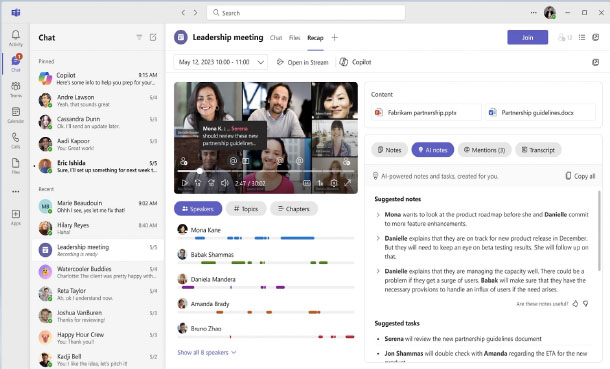
For many Ottawa organizations, Teams has become the central nervous system for communication and collaboration. Remote, hybrid, or in-office — Teams brings together chat, meetings, files, and the rest of Microsoft 365 in one place. Our courses take you from everyday user to confident, productive Teams participant.

I thought I knew how to use Teams, but this course opened my eyes to several features I didn’t know existed, things that make my work so much easier.
Teams is where a lot of Ottawa work actually happens now. This course goes well beyond the basics to cover the full collaboration feature set -- structured channels, video meetings, document co-authoring, and deep integration with the rest of Microsoft 365. Everything you need to work effectively in a modern Ottawa workplace.
Teams is the default workplace hub for many Ottawa organizations, and getting comfortable with it quickly matters. This focused course covers the essentials -- channels, chat, meetings, and file sharing -- so you can participate fully and confidently without a steep learning curve. Fast, practical, immediately applicable.
This course helps you and your team get the most out of Microsoft Teams. You’ll learn how to communicate effectively, collaborate on documents, run smooth meetings, and use Teams as a central hub for your daily work.
Yes, The course is hands-on from the start. The instructor will guide you as you practice each step of every feature.
Yes. All of our courses include free and unlimited after-class support.
Anyone who uses Microsoft Teams for work — whether you’re a beginner just getting started or an experienced user wanting to discover advanced features. Managers, team leads, and staff at all levels will benefit.
We offer flexible options: full-day or half-day workshops are the most popular, but we can break up your training into 2-hour modules if you prefer.
Yes, you’ll receive a certificate of completion to showcase your skills. All you have to do is ask.
No. We start with the basics and move into more advanced features. Training can also be customized for your team.
Yes. We can focus on the features most relevant to your team’s work, such as meeting management, document collaboration, or project coordination.
You’ll save time, reduce email overload, and work more effectively with your team. Many participants say they feel more confident and productive after just one session.
At Training Ottawa, we help professionals build the skills that make work easier, faster, and more impactful. Our courses combine expert instruction with real-world projects so you can immediately apply what you learn.
Whether you’re creating stunning designs, managing complex projects, analyzing data, or producing compelling content, our goal is simple: to help you work smarter, not harder.
We are proud to be a Canadian company.

You can expect your instructor to be helpful and engaging. Your Microsoft Teams training will be hands-on, right from the start, and your day lasts about 7 hours including breaks and lunch. You will get lots of practice with the basics so you can be confident diving into projects back in the office. Your Microsoft Teams training is structured so that you understand and remember the lessons learned.
You will work on practical exercises—learning new skills and professional techniques that you will use in your own real-world projects. You will meet attendees who are like-minded people pursuing similar goals. You can expect lively Q&As. We hope you’ll ask all the questions you want. Please let us know before the event if you have any special requests or challenges.
» Cancellations made more than 5 days before a course date qualify for a full refund minus a $35 administration fee per student.
» Cancellations made less than 5 days before a course do not qualify for a refund but the class may be rescheduled.
» Cancellations made within 48 hours of the start time are not eligible for a refund and may not be rescheduled.
» We are not able to offer refunds or rescheduling for no-shows or uncompleted courses.
» There is no charge for rescheduling when you inform us at least 3 days before the course.
» An administration fee of $35 per person is charged when rescheduling less than 3 days before a course.
» Student substitutions are free. If you cannot take a course maybe your colleague can. Just let us know.
» It is rare that classes do not run as scheduled but we do reserve the right to reschedule previously confirmed classes.


